 Diagramic
Describe it.
The assistant draws it.
Diagramic is a native Mac canvas for architecture diagrams, database tables, sequence diagrams and flowcharts. Draw by hand, or ask the assistant and then move anything yourself.
Coming soon to the Mac App Store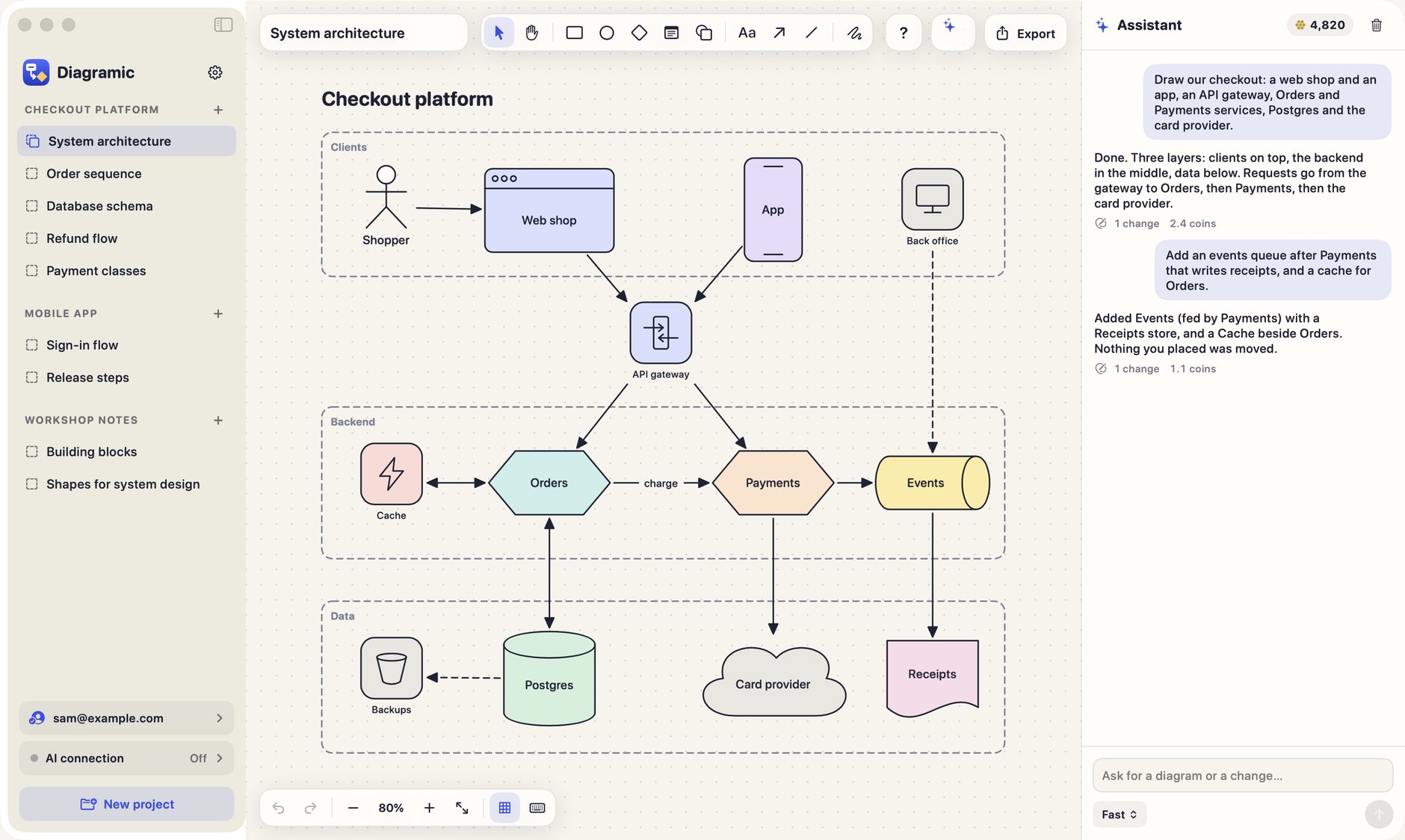
Made for the diagrams engineers actually draw
Every shape is a real object with a meaning, not a picture. Tables have rows, lifelines hold their messages, arrows stay attached.
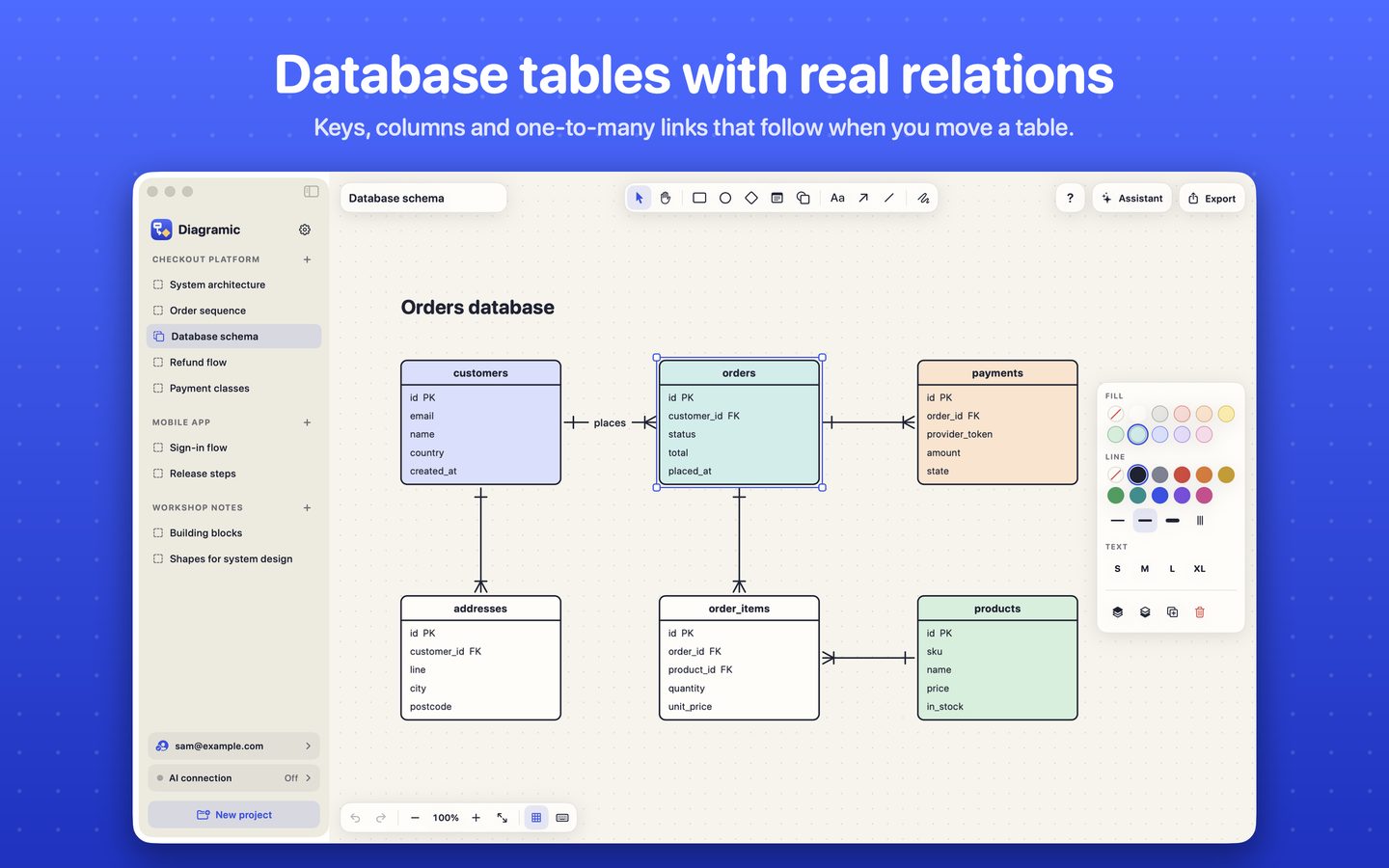
Database tables with real relations
Keys, columns and one-to-many links that follow when you move a table.
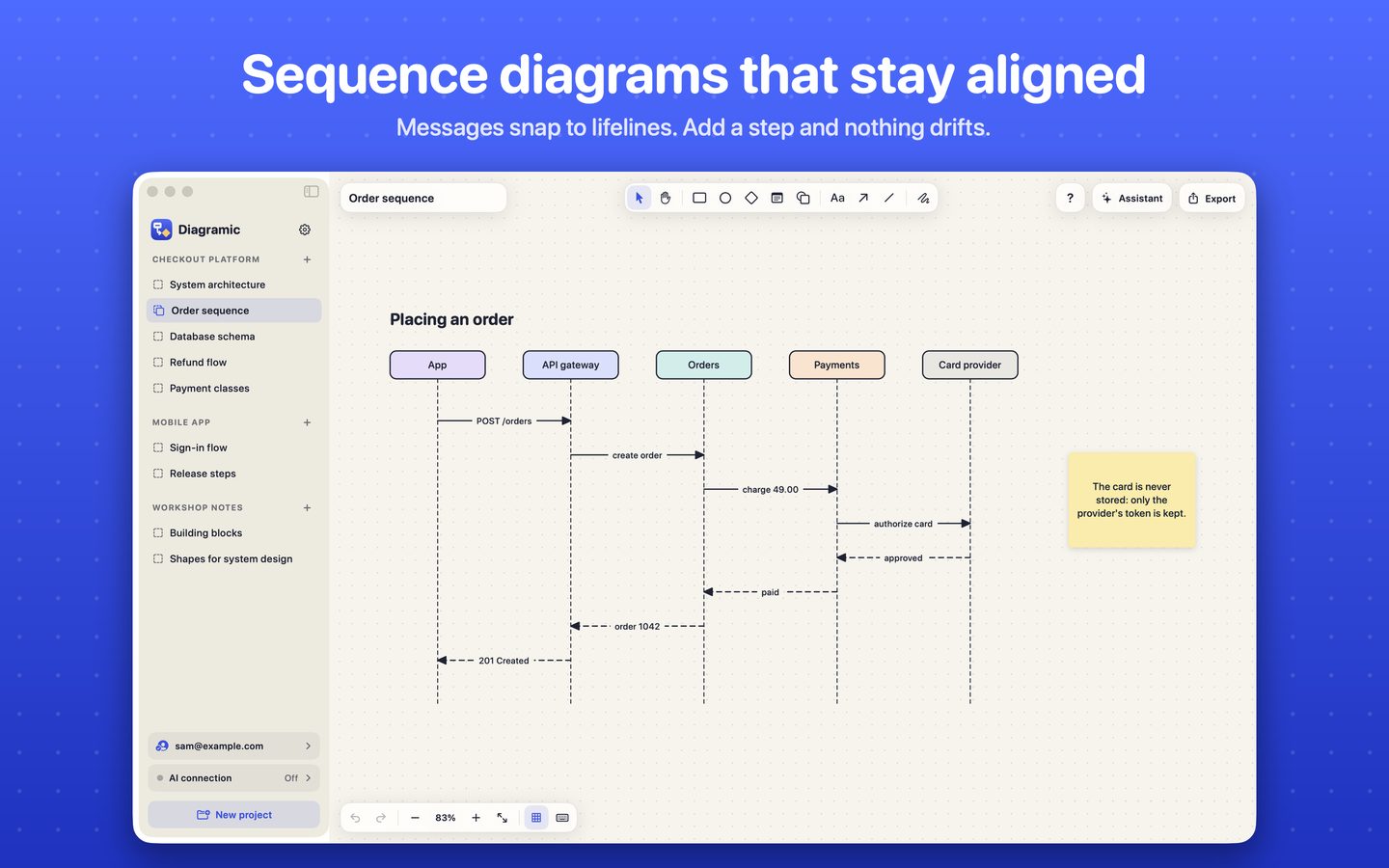
Sequence diagrams that stay aligned
Messages snap to lifelines. Add a step and nothing drifts.

Flowcharts, day or night
A paper canvas by day and a slate board after dark.
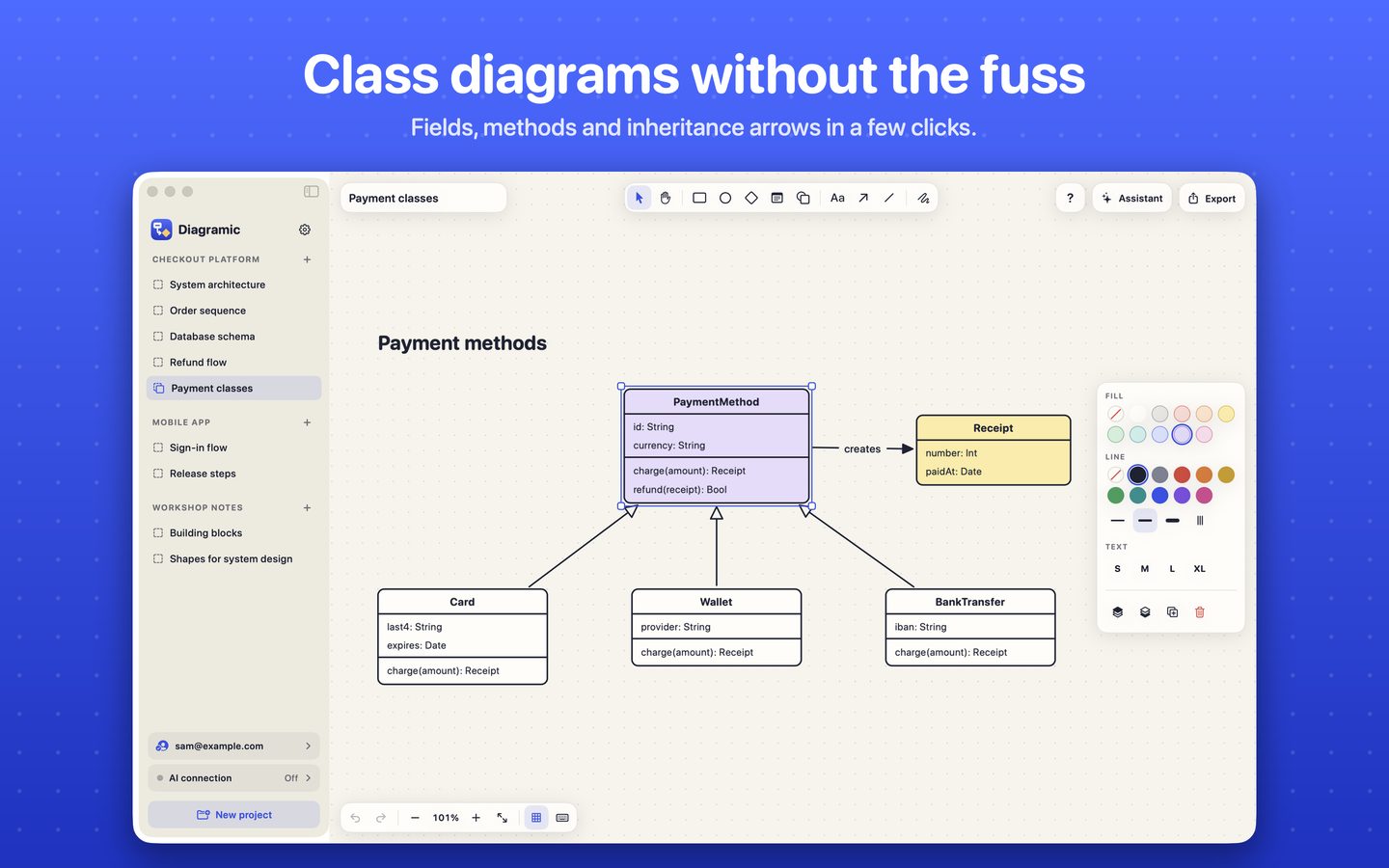
Class diagrams without the fuss
Fields, methods and inheritance arrows in a few clicks.
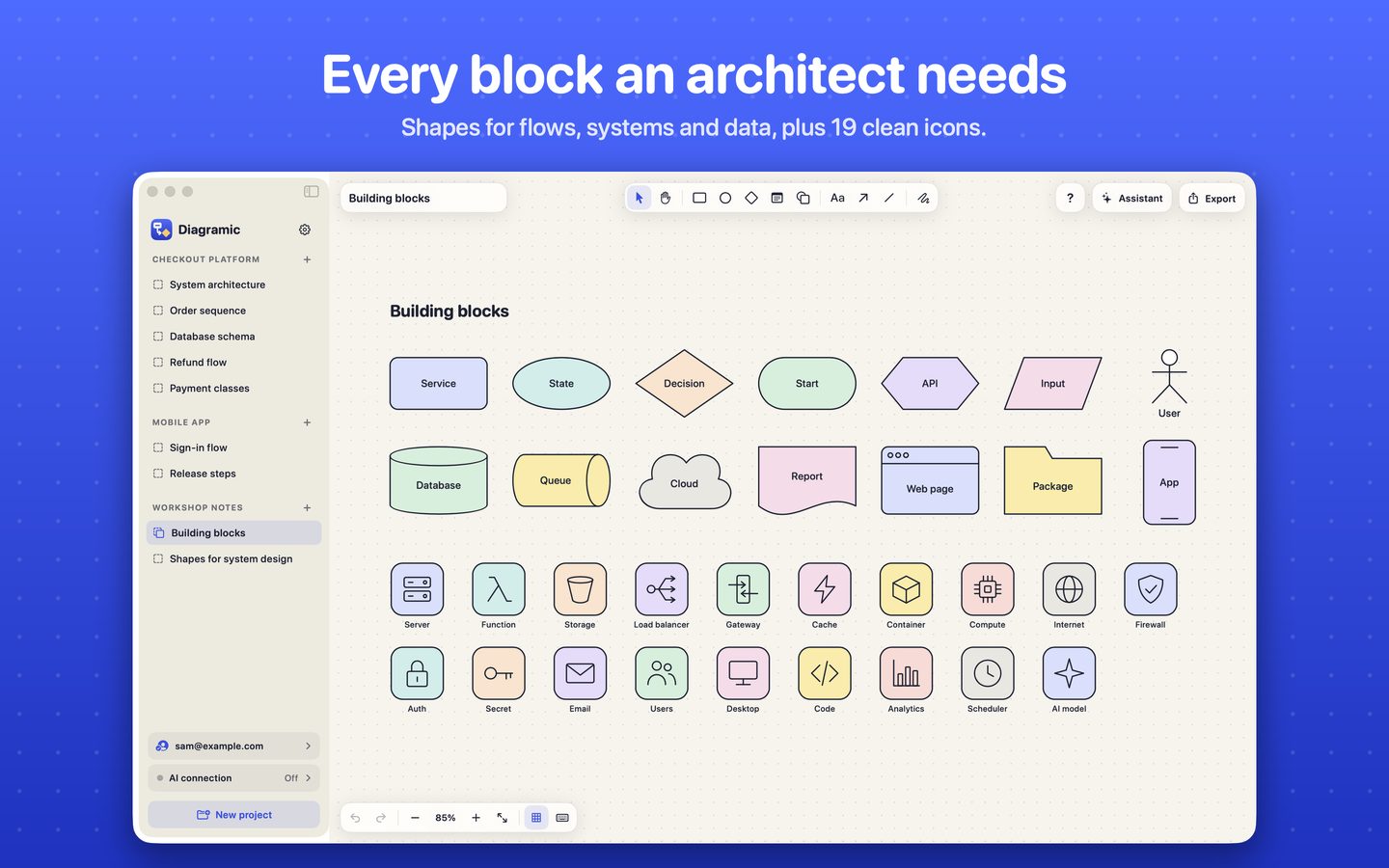
Every block an architect needs
Shapes for flows, systems and data, plus 19 clean icons.
Questions
Do I need an account?
No. You can draw, save and export boards without signing in. Signing in with Apple is only needed for the assistant, for purchases and for keeping your boards in step across your Macs.
What does the assistant do?
You describe a diagram in plain words and it draws it on the board with the same shapes you use by hand. Ask for a change and it edits the board in place instead of starting over. One Undo takes back a whole reply.
What are coins?
Each assistant reply uses coins, depending on how much work the AI model did. New accounts receive some coins to try it. Drawing by hand never uses coins.
Can other AI tools edit my boards?
Yes, if you turn it on. Diagramic has a local connection (MCP) on your Mac, so an AI tool you already use can read and edit your boards. It is off by default.
Which formats can I export?
PNG, SVG and the board file itself (JSON), which you can import again or keep in version control.
Is there an iPhone or iPad version?
Not yet. Diagramic is a Mac app for now.